How to install D2 Survivors
I lined up the getting-started page, the download page, and changelog entries from 19 October and 26 October 2026. The “extract every time” complaint is not a missing click. Chrome and Edge remember the folder. Firefox and Safari ask again. A new build only re-reads the files whose format changed.
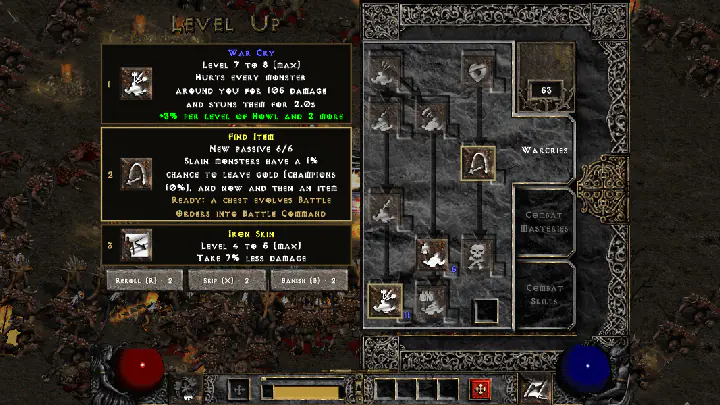
Desktop app
The first launch looks for a Diablo II or Resurrected install and asks you to point at it if the search fails. It checks that about 1.5 GB is free, unpacks once, and then runs offline. Later updates re-extract only what changed. The menu item “Re-extract game files…” does a full unpack when you want one.
On Windows the installer is unsigned. SmartScreen is expected: More info, then Run anyway. On Mac, drag the app into Applications. On Linux, mark the AppImage executable and run it. Steam Deck uses desktop mode and adds it as a non-Steam game; Diablo II itself can sit in Wine or Proton.
Errors the changelog and the wiki actually name
Where a line comes from only one second-hand page, the sentence says so.
| Message | What the sources say |
|---|---|
| files don't match each other | Repair Resurrected in Battle.net or Steam |
| Not a DCC file | One guide site: wrong folder or damaged file. Not an official catalog entry. |
| TVFS directory isn't local | Resurrected storage or a Steam path that is not local |
| Not enough disk | The app states how much and which drive |
| One image or sound fails | From 20261026.1 that file is skipped; the extract continues |
Questions and answers
Why does it extract files every time?
Firefox and Safari do not remember the folder. A private window, cleared site data, or a moved install does the same. Chrome and Edge remember it. From build 20261019.1 a new version updates only the changed read, and you click at most once on the web.
Will clearing site data fix a bad extract?
Do not. The saves page says site data also holds your browser save. Clearing it deletes that save.
How long is the first desktop unpack?
The download page says about one minute and thirty seconds, after a disk check of about 1.5 GB.
Sources checked 2026-10-29
Source scope: the official site, FAQ, wiki and changelog share one publisher. Build IDs, installer sizes and detailed mechanics are single-source official claims unless a separate independent reference is identified. Several official links do not count as independent confirmation.
- Getting started — browser steps, browsers that remember the folder (checked 2026-10-29)
- Official downloads — Win, Mac, Linux packages (checked 2026-10-29)
- changelog.json — build 20261028.2, 87 entries (checked 2026-10-29)
- d2survivors.com setup — second site on Not a DCC file (checked 2026-10-29)